Category: Documentation

  • Update your profile and preferences – deadline extended!

    Got a few minutes?

    Please fill out our client update and feedback form. Your insights help us make things even better for you—because you deserve nothing less!

    Thanks a ton—you’re the best!

    Activ8 Commerce Client Updates


    The Λctiv8 Team

    © 2023 Λctiv8Commerce/Active Club Solutions, Inc.

  • Activ8 Commerce: 2024 Feature Highlights

    announcement This year, we’ve introduced over 50 updates

    designed to make Activ8 Commerce faster, more intuitive, and more secure. These enhancements span Activ8 Cloud, POS, Manager, and eCommerce, empowering you to streamline operations and deliver exceptional service. Here’s what’s new:


    System Email Templates

    • Modern & Responsive Designs: Fresh email templates that look great and adapt to all devices.
    • Upgrade Options:
      1. Contact support for setup (standard fee applies).
      2. DIY setup anytime with our self-setup tutorial.

    Time Clock Management in the Cloud

    • Seamless Control: Manage POS time clock entries, generate reports, and edit logs directly in Activ8 Cloud.
    • Intuitive Interface: Visual, easy-to-use tools streamline workforce management.

    Tock Reservation System Integration

    • POS Syncing: Effortlessly manage reservations, payments, and customer data.
    • Enhanced Service: Simplify operations while delivering exceptional guest experiences.

    Shipping & Logistics Enhancements

    • UPS Global Update (April 30 Deadline): Connect Activ8 and UPS accounts to continue printing labels.
    • GLS (formerly GSO) Integration: Improved functionality for smoother workflows.
    • Improved Shipping Sheets: Added “ship type” and “ship via” options for better logistics management.
    • Enhanced Ship Compliant Check: Ship Compliant Check now functions seamlessly, even if shipping name and address are missing for Pickup transactions.
    • Fixed Shipping Costs for Club Packages: Set consistent Shipping & Handling fees when creating club packages.

    Activ8 Cloud Control Central Updates

    • Wholesale Sales Online: Accept and manage wholesale orders directly from your POS or Activ8 Cloud.
    • Enhanced Job Management Interface: Enjoy a new interface for updating scheduled jobs, enhancing management capabilities.
    • Enhanced Club Management: New filters for “Club Name” and “Club Type” in the Store Drawer, plus improved navigation to help resources.
    • Marketing Tools: Member data, such as “Member Since” dates, is now readily accessible in the Marketing Drawer.
    • SKU Generation: Create SKU numbers directly in Cloud to streamline inventory processes. SKU Numbers and Barcodes are now visible in all inventory views.
    • Expanded Search Filters: Custom date ranges and clearer results display for better data handling.
    • Effortless Product Management: A revamped product page view, quick access buttons, and sheet tools for bulk edits.

    eCommerce Improvements

    • Faster Checkouts: Wallet auto-fill now supports standard expiration formats.
    • Online-to-Tock Sync: Automatically upload online customer registrations to Tock.
    • Wholesale Online Orders: Accept wholesale orders from your website with ease.


    Image Library Enhancements for eCommerce, Inventory and Digital Communications

    • Automatic Updates: Renaming or moving image files automatically updates all system references.
    • Direct Uploads: Insert images straight from your device into product or package folders.
    • Right-Click Magic: Use right-click functionality in the Image Library for quick edits or moving images.
    • Quick Fixes: Easily move misplaced images to the correct folders without hassle.

    POS Enhancements

    • Wholesale Sales Online: Accept and manage wholesale orders directly from your POS or Activ8 Cloud.
    • Open Tabs: Open and manage tabs for customers or tables, add items, and split payments seamlessly.
    • Store Credit Refunds: Automatically display the option during refunds at POS.
    • Data Privacy: Auto-created customer records at checkout no longer save card data for enhanced security.
    • Shipping Refunds: Prompt to void shipping labels when refunding shipping charges.
    • Customer Birth Month: Automatically added to customer records when provided.
    • Access Control: Only managers can view the dashboard on iOS POS.
    • Real-Time Print Queue Updates: Track and clear print jobs more efficiently.
    • Flexible Order History: Toggle display options for sales channels or order statuses.

    Activ8 Manager (Remote Desktop) Updates

    • Clearer Decline Notifications: Helpful retry suggestions for card declines.
    • Flexible Invoicing: Send sales receipts without shipping transactions first.
    • Mailgun Integration: A better option for digital communications.

    Security & Payment Enhancements

    • Clearent Payment Processor: Seamlessly process payments (not available on iOS POS).
    • Credit Card Token Deletion: Removing card numbers now deletes the gateway token automatically.

    Bug Fixes & Quality-of-Life Improvements

    • Club Management Buttons: Quick access to help articles and support for Club Runs and Allocations.
    • Loyalty Points Management: Simplified processes for earning and redeeming points. Upgraded Loyalty Cards sheet in the customer drawer.
    • Customer Merge: Easily combine duplicate customer records with our intuitive merge feature.
    • In-App Updates: Get instant notifications about new features and enhancements right within Activ8 Cloud to help you stay up to date.
    • Smart User Tips: Quick, helpful hints on the Welcome Screen to keep you on top of new features.
    • The Activ8 Cloud login screen now allows you to display your password for added convenience.
    • Chrome for iPad users enhancement: Chrome now displays the keyboard on your iPad upon login for password data entry.
    • UI Enhancements: Polished interface across Cloud and POS for a smoother experience.

    New Reports

    • Global POS Report: View POS data from a global perspective.
    • POS Sales by Category & Employee: Gain deeper insights into sales performance.
    • CRV Calculations and Reports have been integrated in your system.
    • Club Pickups: Now sorted by category, and ship/pickup date.

    These updates and many more enhancements and bug fixes ensure that every aspect of your Activ8 Commerce experience is better than ever. Questions or need support? Email us at support@activeclubsolutions.com to get started!


    The Λctiv8 Team

    © 2023 Λctiv8Commerce/Active Club Solutions, Inc.

  • FAQs: What to Expect When Upgrading to the new Activ8 POS

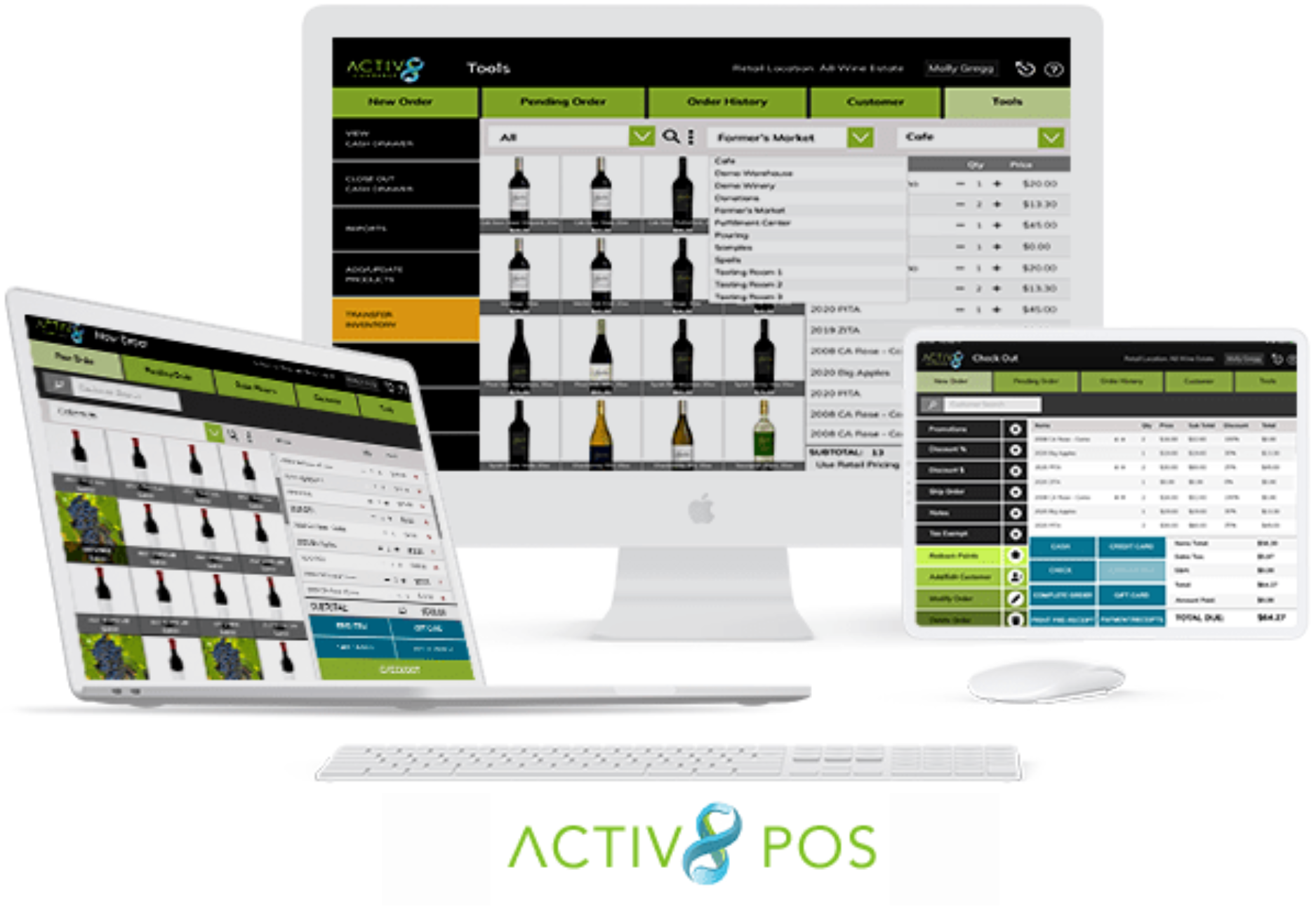
    Activ8 POS

    Q: How user-friendly is the new POS system?
    A: The new POS system is very user-friendly and easy to learn. It features a great touchscreen interface that enhances usability. It is also very fast.

    Q: Can I use the new POS system on any device?
    A: Yes, you can use the new POS system on any device connected to the internet, as long as the operating system is current. This is important for ensuring the best security and functionality.

    Q: Why do I need a current operating system for the new POS system?
    A: A current operating system guarantees the best security and functionality. Using an obsolete version puts you at risk and may limit the performance of the POS system. (This is true for all browser-based or native apps)

    Q: Do I need to switch credit card processors when adopting the new POS system?
    A: No, you do not need to switch credit card processors. However, this may lead to long-term savings, so it’s important to explore your options.

    Q: What are the costs associated with switching credit card processors?
    A: The costs include fees for token transfer and purchasing new card readers. These costs might be offset in the long term if you secure better rates than you currently have.

    Q: Will I need new card readers with the new POS system?
    A: You may or may not need new card readers when updating your POS. Keep in mind that new card readers are often required regularly due to the fast evolution of payment technologies.

    Q: Will I need new receipt printers with the new POS system?
    A: You may or may not need a new receipt printer, depending on the device you use.

    Q: Which printers are supported by Activ8 Solutions?
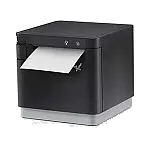
    A: Activ8 Solutions supports the Star Micronics TSP100 series and Star Micronics mC-Print3 printers.

    Q: Which version of these printers does Activ8 Solutions recommend?
    A: Activ8 Solutions strongly recommends using the “CloudPRNT” version of these printers because it is easier to configure.

    Q: Can I use a local network printer instead of the CloudPRNT version?
    A: Yes, you can use a local network printer, but you must use the LAN or wireless version only. Please note that USB and Bluetooth printers are not supported.

    Q: Is local printing from a web browser supported on iPads or tablets?
    A: No, local printing from a web browser is not supported on iPads or any other kind of tablet. Tablet users must use the CloudPRNT version of the supported printers to print from a web browser.

    Q: Do I need a card reader for each device running Activ8 POS?
    A: No, one card reader can serve multiple devices or stations, so you don’t need a reader for each device.

    Q: What if I want to keep using my older system and card readers?
    A: We will support the previous version of your POS until July 1st, 2025. However, we cannot control the obsolescence of credit card readers, which may stop working unexpectedly.

    Q: How should I prepare for the transition to the new POS system?
    A: We encourage you to start planning your transition early to prevent any disruptions. This ensures that your POS and payment systems continue to work seamlessly when you open for business.


  • Activ8 POS Hardware Information


    The following hardware has been tested and verified compatible with Activ8POS:


    Web browser

    Cloud POS runs well in most graphics-mode web browsers. (JavaScript must be enabled.) The operating System needs to be the latest or recent version. Browsers on deprecated devices/computers/tablets which are no longer receiving security updates will not work.

    Credit-card reader

    WorldPay:

    §  Ingenico Link/2500

    §  Ingenico Lane/3000

    §  Ingenico Lane/7000

    §  Ingenico Move/5000

    OpenEdge: COMING SOON…

    §  Verifone V400m

    §  Verifone e285

    §  Verifone
    M400

    §  Verifone P400

    §  Genius
    Handheld

    Clearent:

    §  DejaVoo Z6,
    Z8, Z9, Z11

    §  Pax A35A80A920ProS300IM30


    Card
    readers are supplied by your credit-card payment processor.
    If you plan on using more than one POS station in the tasting room, ensure that you have at least one spare card reader for each station. When using Cloud POS for offsite sales, consider stocking additional card readers.

    Receipt printer

    §  Star Micronics TSP100 series

    §  Star Micronics mC-Print3

    Note:
    Because it is easier to configure, Λctiv8 Solutions strongly recommends that you use the 
    “CloudPRNT” version of these printers. If you decide to use a local network printer, use the LAN or wireless version only; USB and Bluetooth printers are not supported.

    Note too that local printing from a web browser is not supported on iPad or any other kind of tablet. To print from a web browser, tablet users
    must use the “CloudPRNT” version of the supported printers.


    Cash drawer

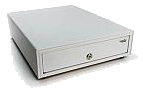
    §  Star Micronics SMD2-1317 Mobility Cash Drawer

    (or any cash drawer supported by the Star Micronics printers).


    Shipping-label printer

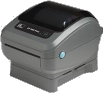
    § Zebra Zebra ZP 450 (UPS, GLS)

    § Zebra ZP 500/ZP 505 (FedEx)

    § Zebra ZD450/ZD420/ZD421D/ZD220/ZD230 (GLS)

    Note: Label printers are usually configured for use with a specific shipper (UPS, FedEx, GLS). Drivers and support for these models are provided by the shipper (not the manufacturer).


    Barcode scanner

    Most barcode scanners — Bluetooth or USB — will work correctly with their factory settings. Scanners must be in “basic” mode, with the terminator character set to “CR.” See your scannerʼs instructions or the manufacturerʼs web page for details.